
Real drum kits for your e-drums
Plug your drum module into your computer and play big, sampled acoustic kits that respond the moment you hit. No DAW, no plugins, no MIDI mapping.
Windows macOS Linux
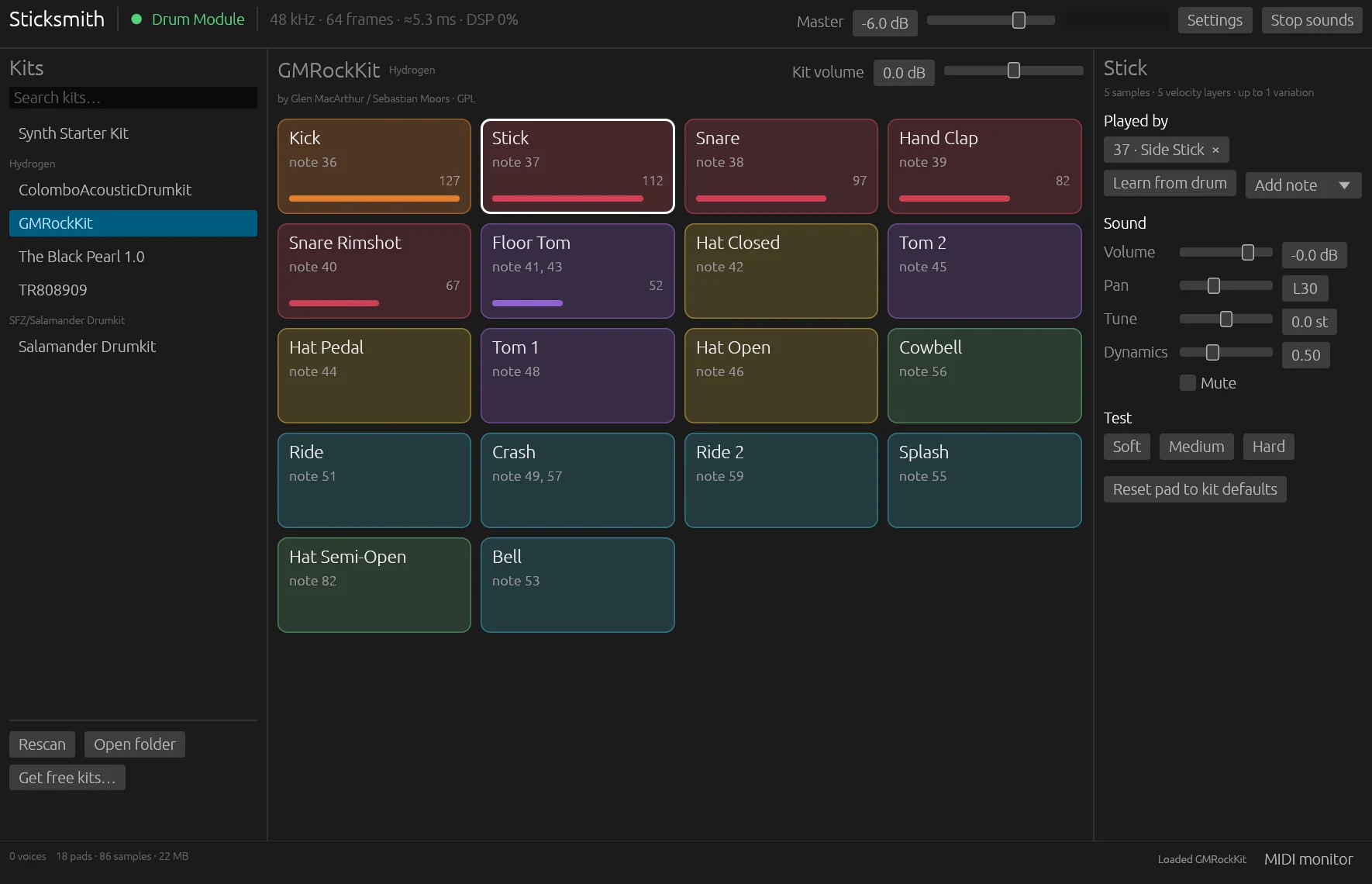
Works with any USB-MIDI drum module, including Alesis, Roland, Yamaha, Millenium and Donner kits.
Up and drumming in a minute
Sticksmith does the setup that usually takes an evening of forum posts.
Plug in
Connect your drum module with a USB cable. Sticksmith finds it on its own, and reconnects if you unplug it.
Pick a kit
Start with the built-in kit, or download free sampled kits with one click. Your pads are mapped automatically.
Play
Hit a drum. That's it. Tune, balance or remap anything later, whenever you feel like it.
Sounds like a kit, not a drum machine
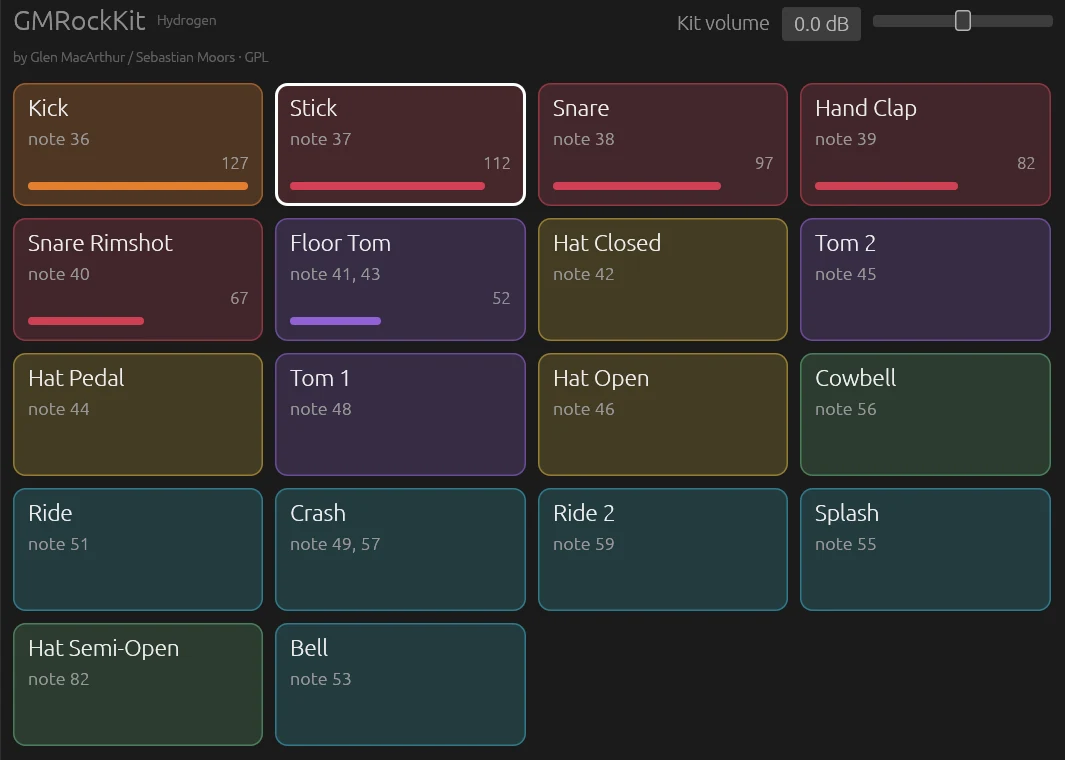
Every hit picks a recording that matches how hard you played, and alternates between takes so fast rolls never sound robotic.
- Velocity layers and round-robin variations
- Closing the hi-hat cuts off the open hi-hat; grabbing a cymbal chokes it
- Gaps in third-party kits are repaired, so no hit ever goes silent
Free kits in one click, and your own too
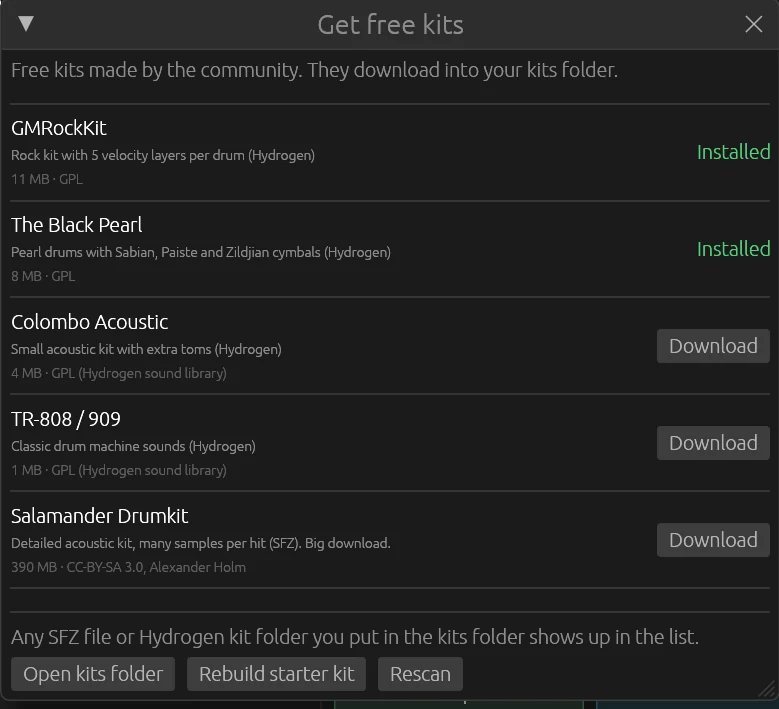
Download free sampled kits right from the app, or drop in any SFZ or Hydrogen kit you already have.
- Kits are mapped to your module automatically, so toms land on your toms
- Missing drums borrow the nearest sound instead of staying silent
- Includes a ready-to-play starter kit
Every pad, your way
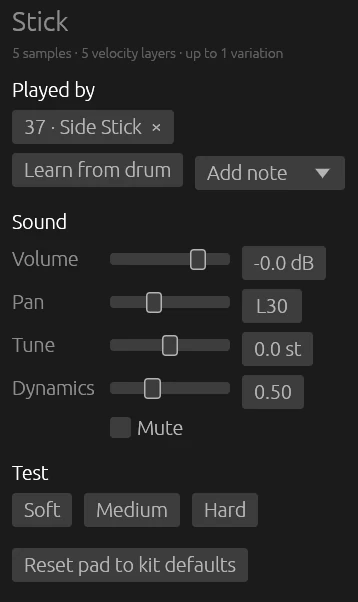
Click any pad to adjust its volume, pan, tuning and dynamics. Want a different sound on a drum? Click Learn and hit it.
- Settings are saved per kit; switching kits keeps each one as you left it
- A MIDI monitor shows exactly what your module sends
- Kit volume evens out loudness between kits
Built for drummers
Everything in Sticksmith is there to make your kit feel right under your sticks.
Low latency
Around 5 ms from hit to sound on macOS and Linux, and 10–20 ms on Windows.
Plug and play
Finds Alesis, Roland, Yamaha and other General MIDI modules by itself.
Real dynamics
Ghost notes stay soft, rimshots crack, and loud mixes stay clean thanks to a built-in limiter.
Open formats
Loads SFZ and Hydrogen kits, plus Sticksmith's own simple kit format.
Works offline
After activation, no internet connection is needed to play.
Three computers
One purchase covers up to three of your computers, on Windows, macOS or Linux.
Simple pricing
Try everything free for 14 days. Buy once, keep playing.
Free trial
- Every feature unlocked
- No payment details needed
- Your kits and settings carry over when you buy
Sticksmith
- One-time purchase, no subscription
- Use it on up to 3 of your computers
- Windows, macOS and Linux
Payments and receipts are handled by Gumroad. After buying, paste the license key from your receipt into Sticksmith.
Questions
Which drum kits work with Sticksmith?
Any electronic drum kit that connects to a computer with USB-MIDI, or through a MIDI interface. Alesis modules are detected automatically, and Roland, Yamaha and other kits using the standard General MIDI drum notes work out of the box. If a pad plays the wrong sound, click Learn and hit the drum.
How low is the latency?
On macOS and Linux, about 5 ms at the default buffer size. On Windows, Sticksmith uses the standard Windows audio system, which adds a little: expect around 10–20 ms. ASIO drivers aren't supported yet. For the snappiest feel, listen through your computer's headphone output or an audio interface: monitors and TVs on HDMI add their own delay.
What sounds come with it?
A built-in starter kit, plus one-click downloads of free sampled kits made by the community: GMRockKit, The Black Pearl, Colombo Acoustic, TR-808/909 and the Salamander Drumkit. You can also load any SFZ or Hydrogen kit.
How does the trial work?
Every feature works for 14 days. To keep playing after that, buy Sticksmith and paste the license key from your receipt into the app (the Trial button at the top). Your kits and settings stay exactly as they were.
Can I use it on more than one computer?
Yes, on up to three computers. Moving to a new one? Click Deactivate this computer in the License window on the old one first.
Do I need to be online?
Only to start the trial and to activate. After that, Sticksmith works offline. When you are online, it quietly re-checks the license about every two weeks.
Why does my computer warn me the first time I open it?
Sticksmith isn't code-signed yet, so your computer asks once. On Windows, click More info and then Run anyway. On a Mac, open System Settings → Privacy & Security and click Open Anyway.
What are the system requirements?
Windows 10 or 11 (64-bit), macOS 11 or newer on Apple Silicon or Intel, or 64-bit Linux (Ubuntu 22.04, Debian 12, Fedora 36 or newer). About 50 MB of disk space; downloadable kits take 1 to 390 MB each.
What data do you collect?
Starting the trial sends an anonymous computer ID to the license server, so the trial can't be restarted. Activating also sends your license key and your computer's name. Nothing else, and this website has no trackers or cookies.
Ready to play?
Download Sticksmith, plug in your kit, and hear the difference in a minute.